Every meeting you host or attend holds untapped potential for content creation. By using Tactiq, you can turn everyday conversations into ready-to-use ideas, articles, and marketing assets. It transforms what used to be a lost hour into a repeatable content engine for your brand.
This article explores how to capture insights from meetings using Tactiq’s transcription and AI-powered summarization tools. You’ll learn how to convert discussions into blogs, social posts, and video scripts, streamline your workflow with automation, and build a content pipeline that’s fueled by real team intelligence—not just brainstorms.
What Is Tactiq and How Does It Work?
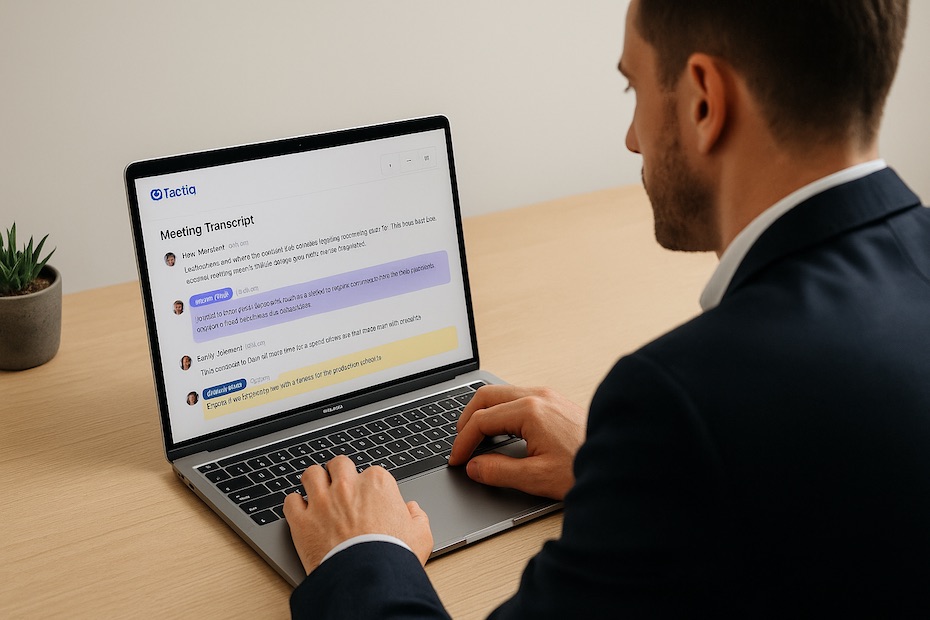
Tactiq is a transcription and meeting note-taking tool that integrates directly into Google Meet, Zoom, and Microsoft Teams. It captures your calls in real time, labeling each speaker and highlighting key ideas, action items, and questions automatically.
Once installed as a Chrome extension, Tactiq sits quietly in the corner of your meeting window. Every time someone speaks, it records, transcribes, and generates live captions. You can highlight insights on the fly, add tags, and export transcripts directly to Google Docs, Notion, or Slack.
What sets Tactiq apart is that it doesn’t just capture words—it gives you structure. By marking moments like “content ideas” or “project takeaways,” you create a searchable record of creative inspiration. After the call, the transcript becomes a launchpad for everything from blog posts to internal documentation.
Why Turn Meetings into Content?
Meetings are where ideas originate—new strategies, customer pain points, product improvements, and lessons learned. But most of those insights disappear once the call ends. Turning those conversations into content helps you extract continuous value from what’s already happening inside your business.
When you document discussions, you’re creating authentic material rooted in your team’s real-world experience. This gives your content a natural tone and genuine perspective that generic ideation rarely achieves. Marketing teams can find quotes for blog posts, sales teams can extract FAQs for clients, and founders can repurpose insights for thought-leadership pieces.
By using your meetings as a content source, you save time, reduce creative blocks, and make sure every idea is captured, categorized, and reusable. It’s not about creating more meetings—it’s about making the ones you already have more productive and idea-rich.
Set Up Tactiq for Seamless Recording
Before your meetings start, set up Tactiq in your preferred video conferencing platform. Install the Chrome extension, sign in, and enable automatic transcription for your recurring calls. You can integrate it with Google Meet, Zoom, or Microsoft Teams, depending on your workflow.
Once active, configure your highlight shortcuts. These allow you to mark content-worthy moments instantly—like “blog idea,” “customer story,” or “quote.” During live calls, tap the shortcut or emoji reaction next to important comments.
Make sure your team knows when Tactiq is active. Inform participants that notes are being captured and that their key points could inspire content. Transparency encourages participants to communicate more clearly and share their best insights.
Capture Highlights During Meetings
The secret to effective meeting-based content creation is to capture ideas in real time. Don’t wait until after the meeting to remember what stood out.
During the discussion, tag any notable comments using Tactiq’s highlighting feature. These tags help you identify content ideas quickly without revisiting the entire recording later. You can even add manual notes like “social post angle” or “customer testimonial seed.”
Use speaker labels strategically. For instance, if your CMO shares a strong statement about brand positioning, tag it immediately as a quote. Later, that line can become the headline of a LinkedIn post or pull-quote in an article.
This process ensures your meeting isn’t just recorded—it’s indexed for creativity.
Turn Transcripts into Content Assets
Once the meeting ends, Tactiq automatically generates a clean, searchable transcript. From there, it’s time to turn those words into assets.
Start by exporting the transcript to your preferred tool—Google Docs, Notion, or your content management workspace. Review your highlights and extract sections with storytelling potential. Group them by theme: strategy, lessons learned, customer insights, or expert commentary.
You can use this categorized data to create:
- Blog posts: Expand on a strategic discussion or debate.
- Social media posts: Share snippets, quotes, or team reflections.
- Podcasts or videos: Script key talking points from live calls.
- Internal content: Create onboarding guides or process summaries.
The more structured your highlights, the faster this process becomes. Each tagged idea serves as a foundation for new material—saving your marketing or creative teams from having to start from scratch every week.
Build a Repeatable Workflow
Once you’ve used Tactiq for a few meetings, formalize the process into a repeatable workflow. A consistent structure keeps your content pipeline full and organized.
Define what qualifies as a “content-worthy” meeting. Strategy calls, creative brainstorming, client interviews, and team retrospectives are prime opportunities. Standardize tagging language so your team knows how to label ideas consistently.
Then, establish a post-meeting routine:
- Review the transcript within 24 hours.
- Extract 3–5 highlights per meeting.
- Assign them to a content owner (writer, designer, or marketer).
- Move finalized transcripts into a searchable content library.
This workflow ensures that ideas move seamlessly from conversation to publication without getting lost in the shuffle.
Scale with Automation and Integrations
Tactiq integrates with multiple platforms, allowing you to automate parts of your process. You can export transcripts directly into Google Docs, Slack, or Notion, or connect via Zapier for advanced workflows.
For instance, every new Tactiq transcript can automatically populate a “Meeting Ideas” folder in your project management tool. From there, your content team can assign, draft, and schedule deliverables.
You can also use Tactiq’s AI summarization to extract action items or key takeaways automatically. These summaries make it easy to identify potential content without reading through the entire transcript.
If your team holds frequent client calls, automate transcript delivery to your CRM or marketing platform. Over time, you’ll build a searchable archive of customer stories, feedback, and messaging insights—all ready to inspire future content.
Overcome Common Challenges
Like any system, using meeting transcripts for content creation comes with a few hurdles. Accuracy, organization, and privacy are the main considerations.
Transcription accuracy: Tactiq performs well, but background noise or overlapping speech can occasionally distort results. Always proofread critical quotes or numbers before publishing.
Data organization: Large teams can quickly generate hundreds of transcripts. Create a shared folder structure and use consistent file naming conventions—like “2025-10-16_Product_Brainstorm_Tactiq.”
Privacy: Always inform participants when transcription is active. Keep sensitive or internal discussions restricted and delete nonessential recordings when they’re no longer needed.
When handled correctly, these challenges are easily managed and outweighed by the creative potential that Tactiq unlocks.
Measure Your ROI and Refine the System
The success of a Tactiq-driven content pipeline depends on how efficiently it turns insights into output. Track metrics like:
- Number of content pieces created per month from meetings.
- Engagement performance of content sourced from transcripts.
- Reduction in time spent ideating or drafting new material.
Regularly review your workflow to remove friction points. If your team finds too many untagged transcripts piling up, simplify the tagging process. If you’re creating duplicate content ideas, refine your categorization system.
Remember: the goal isn’t just to transcribe—it’s to produce more content with less effort. Tactiq gives you the raw material, but consistent refinement ensures long-term impact.
How to Use Tactiq for Content Creation
- Record and transcribe meetings in real time.
- Highlight content-worthy moments.
- Export transcripts to writing or planning tools.
- Repurpose insights into blogs, posts, and videos.
- Automate exports to scale the process.
Make Every Conversation Count
Your meetings already hold the ideas you need to grow your content strategy—you just haven’t been capturing them. Tactiq lets you extract those moments of clarity, creativity, and collaboration, transforming them into tangible results. By integrating it into your workflow, you’ll never lose a great idea again—and you’ll turn your everyday discussions into an ongoing source of inspiration.

Kevin Tudhope is Operations Manager at Equity Investment Mortgage with 10+ years in the mortgage industry. Founder of Tudhope Management Inc., he also leads local franchise operations in Auburn–Opelika and mentors first-time homebuyers and entrepreneurs.